
AirFly Drive: Can This £39.99 Gadget Make Wired CarPlay Wireless?
Got wired CarPlay or Android Auto? AirFly Drive promises to make it wireless. Here’s what the £39.99 adapter does, who it suits and what to check before buying.
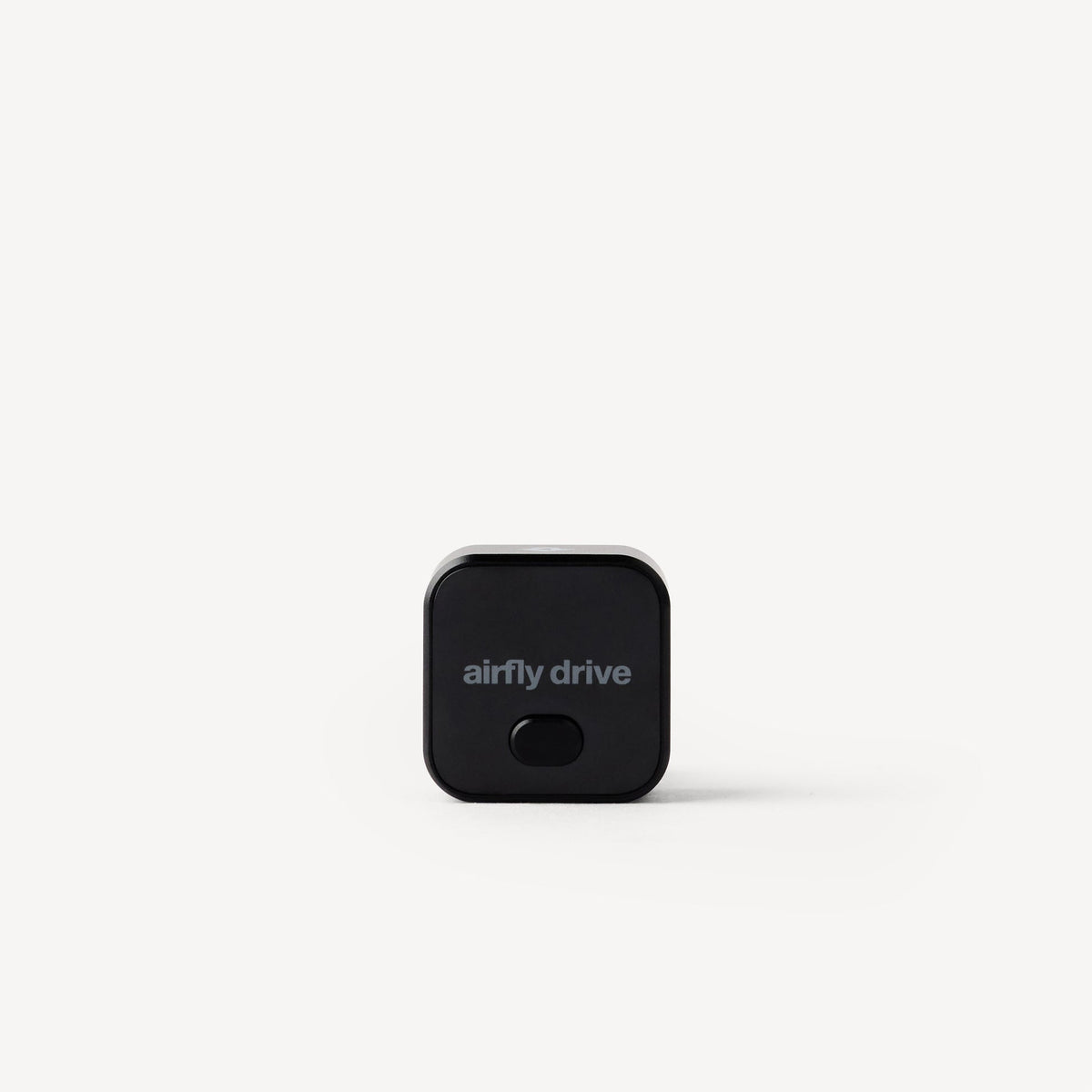
If your car has Apple CarPlay or Android Auto but still makes you plug your phone into a USB cable every journey, a new category of tiny adapters promises a simple upgrade: wireless connectivity without replacing the car's infotainment system.
Twelve South's new AirFly Drive is one of the latest examples. It is designed for cars that already support wired CarPlay or Android Auto, converting that existing connection into a wireless one. That makes it an interesting gadget for drivers with perfectly usable infotainment systems who are tired of plugging in a cable every time they get behind the wheel.
What does a wireless CarPlay adapter actually do?
A wireless adapter plugs into the USB port normally used for wired CarPlay or Android Auto. Your phone then connects to the adapter wirelessly, and the adapter passes that connection to the car.
The important limitation is that these gadgets do not add CarPlay or Android Auto to a vehicle that never had it. Your car must already support the wired version. Think of the adapter as removing the cable rather than upgrading the entire infotainment system.
Why AirFly Drive is getting attention
Twelve South is already well known for its AirFly travel adapters, and AirFly Drive applies the same compact-accessory idea to the car. The adapter supports both Apple CarPlay and Android Auto and is intended to reconnect automatically after its initial setup.
One particularly useful feature is support for two paired phones. In a household where two people regularly drive the same car, that could be more convenient than repeatedly deleting and pairing devices.
Its small size is also significant. Many existing wireless CarPlay adapters are essentially small dongles hanging from a USB cable. A compact adapter can make the installation look closer to a factory feature, particularly when the vehicle's USB socket is visible around the dashboard or centre console.
Who is it actually useful for?
The strongest use case is a car that is modern enough to have wired CarPlay or Android Auto but old enough not to offer the wireless version.
For short journeys, plugging in a cable can feel unnecessary. You may only want navigation, music or a podcast for ten minutes. With a wireless adapter, the phone can remain in your pocket or bag while the infotainment system connects automatically.
It can also reduce wear on a phone's charging port. That does not mean you will never need a cable again—long journeys may still justify charging—but it removes the need to physically connect the phone simply to use the dashboard interface.
The advantages
Convenience: after the initial pairing, a good adapter should reconnect without requiring you to take the phone out.
No major installation: there is no need to replace the head unit or dismantle the dashboard.
Works with existing controls: because the car still believes it is communicating through its existing CarPlay or Android Auto system, the normal touchscreen, buttons and other supported controls should remain the way you already use them.
Useful for shared cars: support for two stored phones makes more sense for couples and families than an adapter designed around a single device.
The drawbacks to consider
Wireless does not automatically mean better in every respect. A direct wired connection is simple, stable and simultaneously charges your phone. Switching to wireless means your handset is using battery while running navigation, mobile data, Bluetooth and Wi-Fi connections.
That makes a wireless charging pad or separate charger useful on longer journeys.
There can also be a short connection delay when the car starts. Wireless adapters need time to power up, find the paired phone and establish the connection. How noticeable that feels will depend on the car, phone and adapter.
Compatibility deserves particular attention. A USB socket in a car does not automatically mean the vehicle supports wired CarPlay or Android Auto. Some USB ports are charging-only, and some cars use different ports for smartphone projection. Confirm that your phone already works with CarPlay or Android Auto through a cable before buying any wireless conversion adapter.
What to check before buying one
1. Confirm wired compatibility first. Plug your phone into the car and make sure CarPlay or Android Auto launches. If it does not, an adapter like this is unlikely to solve the problem.
2. Check the connector. Look at whether your vehicle's data port is USB-A or USB-C and whether the adapter includes what you need.
3. Think about where the USB port sits. A compact design matters much more when the socket is exposed than when it is hidden inside an armrest.
4. Consider phone charging. If your phone normally gains charge while connected to CarPlay, going wireless removes that benefit unless your car also has wireless charging or you use another charger.
5. Consider multiple drivers. If two people share the vehicle, check how the adapter handles multiple paired phones and which one receives priority when both are present.
Is £39.99 worth spending to remove one cable?
That depends almost entirely on how often you use CarPlay or Android Auto. Someone who connects their phone once a week may see little benefit. A commuter who plugs and unplugs a phone several times every day is far more likely to appreciate it.
There are cheaper wireless adapters on the market, so AirFly Drive is not simply competing on price. The appeal is the combination of a recognised accessory brand, compact hardware, support for both major smartphone platforms and the ability to remember two phones.
For many drivers, the most sensible approach is to view a wireless adapter as a convenience upgrade rather than an essential car gadget. It will not transform an old infotainment system or give a car features it never supported. What it can do is remove one repetitive step from every journey.
Bottom line
If your car already has wired Apple CarPlay or Android Auto and you use it virtually every time you drive, wireless adapters are becoming one of the simplest ways to modernise the experience without changing the dashboard.
AirFly Drive looks particularly relevant for shared cars and drivers who want a small, unobtrusive adapter rather than another large accessory hanging from the centre console. Just confirm your car already supports wired smartphone projection before buying—and remember that going cable-free also means giving up the automatic charging that cable used to provide.